.svg)


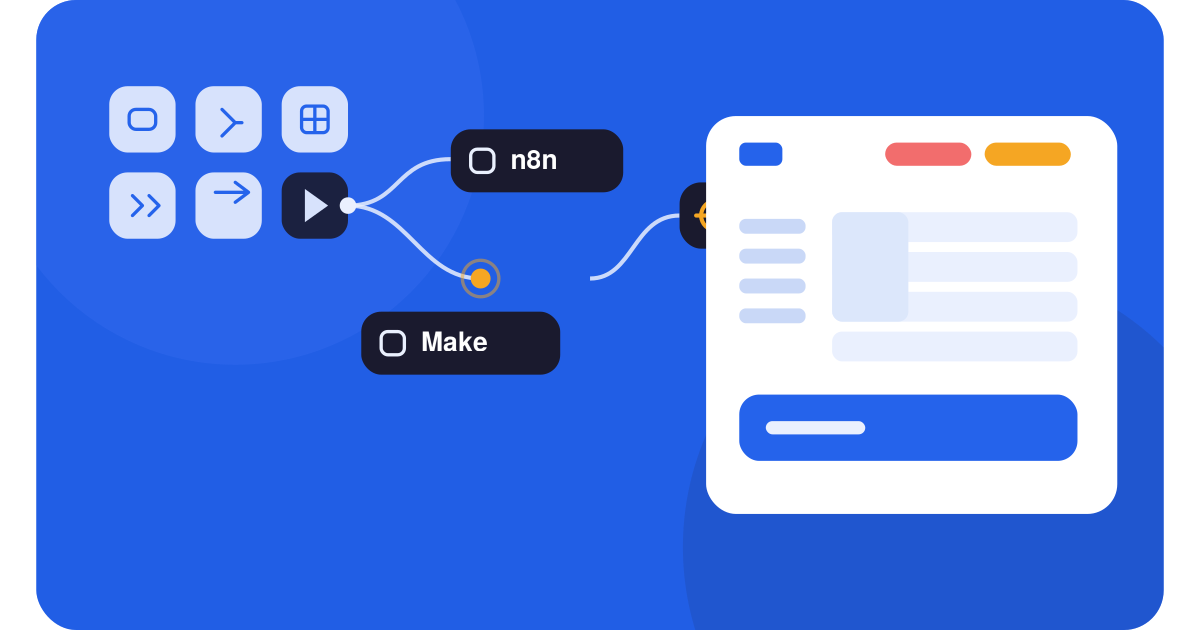
Pick Make if you want a visual, no-code tool you can launch today and you run simple, low-volume workflows. Pick n8n if you have a developer (or want to self-host), build AI agents, or run high-volume, multi-step automations where Make's per-operation billing gets expensive.
The deciding factor is rarely features. It is how each tool charges you and how much technical control you want.
We build AI agents automation platforms for a living, so we have shipped production workflows on both platforms and migrated clients between them. This is the comparison we wish existed when we started: no vendor spin, real 2026 pricing, and the trade-offs we have actually lived through. If you are weighing n8n vs Make, this guide is written to save you a month of trial and error.
The one difference that decides everything
Before any feature list, you need to understand how each platform counts usage, because that single mechanic shapes your bill more than anything else.
n8n bills per execution. One complete run of a workflow is one execution, no matter how many steps it contains. Make bills per operation (now called credits). Every single module step in a scenario consumes one credit each time it runs.
n8n, per execution
One full run = ONE execution
Make, per operation
Each module step = ONE credit
amplence.com, verified against n8n.io and make.com pricing, June 2026
This is why n8n vs Make pricing comparisons that only look at the headline number are misleading. A workflow that looks like "three steps" on the canvas can quietly consume eight to fifteen operations per run on Make once you count triggers, filters, and iterators. On n8n, that same workflow is still one execution.
For simple, low-volume automations, Make is cheaper: its Core plan starts at $9/month for 10,000 credits. For complex or high-volume workflows, n8n is dramatically cheaper, especially self-hosted, because you are not paying per step.
2026 pricing, compared honestly
Both platforms revised pricing over the last year, so here are the current numbers, verified against the official n8n and Make pages in June 2026.
| Tier | n8n | Make |
|---|---|---|
| Free | Self-host: free, unlimited* | 1,000 credits / mo |
| Entry | $20/mo, 2,500 exec | $9/mo Core, 10,000 cr |
| Growth | $50/mo Pro, 10,000 exec | $16/mo Pro, 10,000 cr |
| Team | $800/mo Business, 40k | $29/mo Teams, 10,000 cr |
| Enterprise | Custom, unlimited | Custom |
*Community Edition is free to self-host (you pay only for a server, typically $4 to $10/mo).
Make Pro/Teams share the same 10,000 base credits as Core; you pay for priority + collaboration.
amplence.comn8n pricing
• Community Edition (self-hosted): free, with unlimited executions. You pay only for a server, typically $4–10/month.
• Starter: $20/month for 2,500 executions.
• Pro: $50/month for 10,000 executions, plus admin roles and longer execution history.
• Business: $800/month for 40,000 executions, with SSO, Git version control, and separate environments. Companies under 20 employees can apply for roughly 50% off.
• Enterprise: custom pricing, unlimited executions.
One trap to know: on Starter and Pro, workflows can pause when you hit your execution cap while using n8n's pricing. A single polling workflow can drain the Starter allowance in under two weeks, which is why teams running pollers either jump to Pro or self-host.
Make pricing
• Free: 1,000 credits/month, two active scenarios. Fine for testing.
• Core: $9/month for 10,000 credits and unlimited active scenarios. The best price-to-power ratio for most small teams.
• Pro: $16/month, same 10,000 credits, plus priority execution, custom variables, and full-text log search.
• Teams: $29/month, adds team roles and shared scenario templates.
• Enterprise: custom, with SSO, audit logs, and advanced security.
Since August 2025, Make pricing uses credits instead of operations. For standard automations, one module run still equals one credit, but AI modules and code execution can cost considerably more. Extra credit packs also carry a markup, so consistently buying packs is a signal to upgrade your tier or rethink the architecture.
AI agents: where n8n pulled ahead
If your goal is AI automation rather than simple app-to-app glue, this section matters most. As an AI automation agency, this is the dimension we weigh most heavily for clients.
n8n has a native AI Agent node with LangChain support, memory nodes, vector stores, and tool routing, so an agent can decide at runtime which tool to call. It connects to OpenAI, Anthropic, Mistral, or local models through Ollama. Make offers of OpenAI and Anthropic modules and AI agents in its toolkit, but for complex agent orchestration with tool-use routing, n8n's architecture is more capable.
Is n8n actually open source?
This is where a lot of founders get tripped up, so it's worth being precise. n8n is not technically open source. Its code is public on GitHub, but it ships under the Sustainable Use License, a "fair-code" model.
In plain terms, you can self-host, modify, and use n8n free for your own internal business, but you cannot resell it as a hosted service or embed it inside a product you charge for without a separate license. For most teams automating their own operations, that line never comes up.
So the real "n8n vs open source" decision is usually a three-way one: n8n Community (free, self-hosted), n8n Cloud (paid, managed), or a genuinely open-source alternative like Activepieces or Node-RED if an OSI-approved license is a hard requirement for you.
n8n Community Edition (self-hosted) is downloaded and run on your own servers (typically via Docker) completely for free. You get full data ownership and execution limited only by your hardware in exchange for handling databases, server security, and updates yourself.
n8n Cloud (managed) is the same fair-code n8n hosted by n8n. Zero setup, you just log in and build in exchange for recurring fees that scale with executions and users.
True open-source alternatives exist if the fair-code restriction bothers you: Activepieces (MIT license, no-code, fast-growing app library), Node-RED (Apache 2.0, built for hardware and IoT, beloved by home-labbers), and Automatisch (AGPL, privacy-first, straightforward app-to-app automation).
| Feature | n8n Community (self-hosted) | n8n Cloud (managed) | Other open source (e.g. Activepieces) |
|---|---|---|---|
| License | Fair-code (free to use, commercial resale restricted) | Fair-code, hosted by n8n | True open source (MIT / Apache 2.0) |
| Hosting | Your server | n8n's servers | Your server |
| Cost | Free (hardware only) | Paid, from $20/mo (2,500 executions) | Free (hardware only) |
| Executions | Unlimited (capped only by hardware) | By plan tier | Unlimited (capped only by hardware) |
| Maintenance | High (you manage Docker, DB, security, updates) | None (handled by n8n) | High (you manage hosting) |
| Custom code | High (built-in JavaScript / Python) | High (built-in JavaScript / Python) | Variable (some lean more on code) |
| Data ownership | Full | n8n's infrastructure (EU, Frankfurt) | Full |
| Best for | Technical teams wanting control and low cost | Teams wanting zero maintenance | Teams needing a pure OSI license |
Bottom line, n8n vs open source: n8n gives you most of the practical benefits of open source (self-hosting, data ownership, no per-seat lock-in, and source visibility) with one commercial guardrail. If that guardrail is irrelevant to you, which it is for most teams automating their own work, n8n Community is one of the most cost-effective tools available. If you specifically need a pure open-source license, Activepieces or Node-RED are the names to look at.
n8n vs Pipedream
If you searched for this matchup, you are almost certainly a developer or technical founder, because Pipedream is the most code-first tool in this whole comparison. Both n8n and Pipedream are built for people who have outgrown Zapier, but they solve the problem in opposite ways, and the split comes down to one question: do you want to own the runtime or not?
Pipedream is fully managed and serverless. Every step is code (Node.js, Python, Go, or Bash), workflows run as a linear stack, and you never touch infrastructure.
Its standout feature is native package support: you can import any npm or PyPI package straight into a workflow step, which gives you the entire JavaScript and Python ecosystem inside your automation. n8n takes the hybrid route: a visual node-based canvas that technical and non-technical teammates can both read, with a Code node for real JavaScript or Python when you need it.
The deciding factors are usually self-hosting (only n8n offers it), how your team thinks (visual graph vs linear script), and whether you are building AI agents, where n8n's native agent nodes give it a clear edge.
| Aspect | n8n | Pipedream |
|---|---|---|
| Approach | Hybrid: visual canvas plus optional code | Code-first, serverless |
| Builder | Drag-and-drop node graph, non-linear branching | Linear stack of code steps |
| Self-hosting | Yes (Docker, Kubernetes, VPS, even a Raspberry Pi) | No, cloud-only |
| Best for | Mixed technical / non-technical teams, data ownership | Developers who write code anyway |
| Custom code | JavaScript / Python in dedicated nodes | Native npm / PyPI import in any step |
| Integrations | 400+ purpose-built nodes plus HTTP for any API | 1,000 to 2,000+ connectors plus any API |
| AI agents | Native AI Agent nodes (LangChain, memory, tools) | AI-assisted building, weaker agent-as-infrastructure |
| Billing | Per execution (whole workflow); free self-hosted | Generous free tier, then usage/credit based |
| Data control | Full (data can stay in your infrastructure) | Runs on Pipedream's cloud (SOC 2) |
| Embedding in your own product | No direct equivalent | Pipedream Connect (drop-in OAuth for customer-facing integrations) |
Bottom line: Pick n8n if you need self-hosting, want a visual canvas a non-developer can also read, are building AI agents, or want unlimited executions at a flat server cost. Pick Pipedream if your team lives in code, you never want to manage infrastructure, or you are embedding integrations into a product you sell (where Pipedream Connect has no real n8n equivalent). For pure visual automation aimed at non-developers, neither is the answer; that is where Make fits.
Ease of use and integrations
Make is a more approachable platform. Its drag-and-drop canvas, templates, and tooltips let a non-technical marketer build a working scenario on day one. Make also leads on out-of-the-box connectors, with 1,500 to 3,000+ pre-built integrations depending on how you count them.
n8n has a steeper curve. It assumes comfort with APIs, JSON, and basic logic, and most newcomers need a week or more to feel fluent. What you get in return is power: over 1,200 integrations, plus an HTTP Request node and custom code that let you connect to virtually any API, even without a pre-built node. For teams with legacy or internal systems, that flexibility is decisive.
| Dimension | n8n | Make |
|---|---|---|
| Best for | Developers, technical teams, AI agents | Non-technical teams, fast launches |
| Billing | Per execution (whole workflow) | Per operation (each module step) |
| Hosting | Cloud or self-host (data ownership) | Cloud only |
| Learning curve | Steeper (1+ week) | Gentle (same day) |
| Integrations | 1,200+ plus HTTP / custom nodes | 1,500 to 3,000+ pre-built |
| AI agents | Native agent node + LangChain | AI modules, lighter orchestration |
| Cheapest entry | Free self-hosted | $9/mo Core |
Where Zapier fits in this picture
Many people searching n8n vs Zapier vs Make are really asking which tool to standardize on. The short version: Zapier has the broadest app library (7,000+) and the simplest experience, but it bills per task (per step), which makes it the most expensive at scale.
Make sits in the middle on price and power. n8n is the cheapest at volume and the most flexible in exchange for technical overhead. If you have no developer and want the fastest path, Zapier or Make wins. If you want control and lower long-term cost, n8n wins.
See how n8n compares to Zapier. for automation.
A first-hand case study: migrating a client from Make to n8n
Here is a real engagement, with details generalized for client privacy. A client ran a lead-routing and AI-enrichment pipeline on Make: a webhook captured a lead, enriched it, scored it with an AI module, created a CRM record, sent a confirmation email, and posted to Slack.
As volume grew past roughly 90,000 operations a month, the Make bill climbed to about $109/month once extra credit packs were added.
We rebuilt the same logic in n8n and self-hosted it on a modest VPS. Because n8n bills per execution, the multi-step workflow that consumed six-plus credits per run on Make now counts as a single execution. The infrastructure cost landed around $12/month with unlimited runs.
What We Actually Saw: Make to n8n Migration
A client lead-routing + AI-enrichment pipeline we rebuilt
Make Core + extra packs per month, at ~90k ops
Self-hosted n8n on a VPS per month, unlimited runs
lower monthly automation cost after migration
The trade-off we tell every client:
n8n cut the bill, but added ~2 hours/month of maintenance and a one-time setup. For low-volume teams, Make's zero-maintenance cloud is often the smarter call.
The honest trade-off we put in writing for that client: n8n cut the monthly bill by roughly 89%, but it added about two hours of maintenance a month and a one-time setup investment.
For a high-volume pipeline, that math is obvious. For a team running a handful of low-frequency automations, we have just as often recommended staying on Make, because zero maintenance is worth more than a few dollars saved.
Frequently Asked Questions
1: Which is right for you, n8n or Make?
Choose Make if you are non-technical and want a fast, visual, low-maintenance start. Choose n8n if you have technical support, want to self-host for data ownership, or are building AI agents and high-volume workflows where per-operation billing becomes costly.
2: Which is cheaper, Make or n8n?
Make is cheaper for simple, low-volume automations ($9/month Core). n8n is far cheaper at scale, particularly self-hosted, because it charges per workflow run rather than per step. The more steps and volume you have, the more n8n's model favors you.
3: Is n8n risky?
The open-source software is reliable and widely used. The risks are operational: self-hosting means you own security, updates, and uptime, and unverified community nodes can introduce exposure. n8n Cloud or proper server-side guards remove most of that risk for production use.
4: Is something better than n8n?
It depends on the job. Make is better for non-technical, visual building. Zapier is better for the widest app coverage and simplest setup. n8n is hard to beat for flexible, code-friendly, high-volume automation with native AI agents. There is no universal winner, only the best fit for your team.
5: How does n8n compare to Pipedream or other open-source tools?
n8n's advantage is its visual builder combined with code, self-hosting for full data ownership, and native AI agent nodes. Pipedream is more code-and-developer-centric. If you want a balance of visual workflows and open-source control, n8n is usually the stronger pick.
6: Can I migrate from Make to n8n later?
Yes. You will rebuild scenarios as n8n workflows rather than importing them one-to-one, but the logic transfers cleanly. We do these migrations regularly; the main work is re-mapping modules to nodes and re-testing triggers.
Pick the highest score. We will help you build it.
Book a 20-minute call and we will map the fastest path for your team. No pitch required.