.svg)


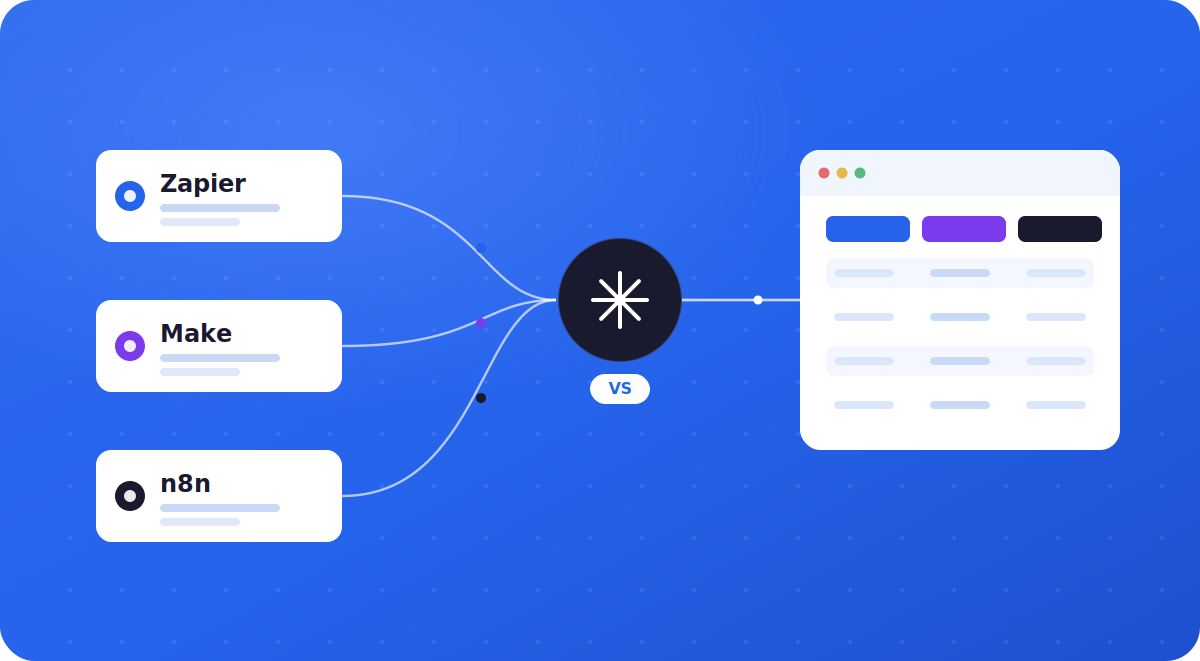
Three platforms, three very different pricing models, and three different ideas of who “easy automation” is actually for. Here’s how they compare on cost, flexibility, and real-world fit, so you can pick once and stop re-evaluating every quarter.
If you’ve searched “n8n vs Make vs Zapier,” you’ve probably already noticed the problem: every comparison seems to conclude with whichever tool the author is trying to sell you. So let’s start with something closer to the truth: there is no universal winner.
There’s a right answer for a five-person agency running lead-routing zaps and a completely different right answer for a technical team building branching AI agent workflows. This guide walks through the real 2026 numbers so you can tell which camp you’re in.
This is now our single comparison guide. It folds in the n8n vs Zapier and n8n vs Make head-to-heads we used to publish separately, the first-hand migration numbers, and the three-lane decision framework we use with clients, so you can settle the question in one read.
Quick Answer: Which Tool Fits You
What Each Tool Actually Is
Zapier pioneered the “if this, then that” category. It connects triggers in one app to actions in another through a linear, step-by-step builder, and it now reaches roughly 8,000–9,000+ apps, the largest library in the category by a wide margin. For a primer on the category itself, see our introduction to workflow automation and n8n.
Make (formerly Integromat) takes a visual, canvas-based approach. Instead of a linear list of steps, you see your entire automation as a flowchart, with routers, filters, and branches laid out spatially, which makes debugging complex logic considerably easier than scrolling through a list.
n8n is an open-source, node-based automation platform that can run in the cloud or entirely on your own infrastructure. It’s built with developers in mind: you can drop into JavaScript or Python at any node, and its execution-based billing model rewards complex, multi-step workflows rather than penalizing the
Pricing Compared, in Plain Numbers
The three platforms bill on completely different units, and that difference matters more than the headline price. Zapier bills on tasks (one per action step), Make on credits (roughly one per module call), and n8n on executions (one per full workflow run, regardless of how many steps it contains). Check the billing unit against each vendor before you model a bill: Zapier pricing, Make pricing and n8n pricing. The figures in this article were checked in September 2026 and all three vendors change their plans regularly.
Plan by plan, here is what those tiers include, with the traps we have hit on each.
n8n pricing
• Community Edition (self-hosted): free, with unlimited executions. You pay only for a server, typically $5–10/month.
• Starter: $20/month billed annually ($24 billed monthly) for 2,500 executions.
• Pro: $50/month billed annually ($60 billed monthly) for 10,000 executions, plus admin roles and longer execution history.
• Business (self-hosted): $800/month billed annually ($960 billed monthly) for 40,000 executions, with SSO, Git version control and separate environments. Smaller companies can apply for a startup discount.
• Enterprise: custom pricing.
One trap to know: on Starter and Pro, every run counts against a fixed monthly execution quota, so check the current overage rules on n8n's pricing. A single polling workflow can drain the Starter allowance in under two weeks, which is why teams running pollers either jump to Pro or self-host.
Zapier pricing
• Free: 100 tasks/month, two-step Zaps only.
• Professional: $19.99/month billed annually ($29.99 billed monthly) for 750 tasks, with multi-step Zaps, premium apps and webhooks.
• Team: $69/month billed annually ($103.50 billed monthly) at the entry task tier, with up to 25 users, shared Zaps and SAML SSO.
• Enterprise: custom pricing and task allocation.
Only successful action steps count as tasks; the trigger is free. That sounds generous until you do the math: a Zap with five action steps running 150 times a month uses the entire 750-task Professional allowance. Higher task tiers are available on each plan, and that is where most growing teams end up paying.
Make pricing
• Free: 1,000 credits/month, two active scenarios. Fine for testing.
• Core: $9/month billed annually ($10.59 billed monthly) for 10,000 credits and unlimited active scenarios. The best price-to-power ratio for most small teams.
• Pro: $16/month billed annually ($18.82 billed monthly), same 10,000 credits, plus priority execution, custom variables and full-text log search.
• Teams: $29/month billed annually ($34.12 billed monthly), adds team roles and shared scenario templates.
• Enterprise: custom, with SSO, audit logs and advanced security.
Since August 2025, Make pricing uses credits instead of operations. For standard automations, one module run still equals one credit, but AI modules and code execution can cost considerably more. Extra credit packs also carry a markup, so consistently buying packs is a signal to upgrade your tier or rethink the architecture.
The billing unit decides your bill
When comparing n8n, Make, and Zapier pricing, the monthly plan price tells only part of the story. Each automation platform measures usage differently, so the same workflow can consume a very different number of billable units.
How each automation platform bills usage?
- Zapier counts successful action steps as tasks.
- Make uses credits for module operations within a scenario.
- n8n counts a complete workflow run as one execution.
Example workflow cost comparison
A five-step automation running 3,000 times per month could use about 15,000 Zapier tasks or 15,000 Make credits. On n8n, the same activity may count as 3,000 workflow executions. The exact total depends on the workflow structure and which steps each platform bills.
Which automation tool offers better value?
Zapier can suit teams that value ease of use, while Make offers flexible visual automation. For complex or high-volume workflows, n8n may provide a lower cost per complete run. Compare the billing unit, expected monthly volume, and workflow complexity before choosing a platform.
n8n vs Zapier: tasks against executions
Take a workflow with 10 steps that runs 10,000 times a month. On Zapier that is 100,000 tasks. On n8n it is 10,000 executions. That is the roughly 90% gap you see quoted everywhere, and it widens with every step you add to the workflow.
Here is what the “n8n is 90% cheaper” headlines leave out, and where most articles stop being useful: at low volume the math reverses. A marketing team running a handful of simple Zaps a few hundred times a month pays around $20 to $30 on Zapier with zero servers to maintain. Self-hosting n8n means a VPS plus the engineering time to set it up, patch it, and watch it. Sticker price is not total cost.
n8n vs Make: credits against executions
n8n bills per execution. One complete run of a workflow is one execution, no matter how many steps it contains. Make bills per operation (now called credits). Every single module step in a scenario consumes one credit each time it runs.
This is why n8n vs Make pricing comparisons that only look at the headline number are misleading. A workflow that looks like "three steps" on the canvas can quietly consume eight to fifteen operations per run on Make once you count triggers, filters, and iterators. On n8n, that same workflow is still one execution.
Ease of Use and Learning Curve
Zapier remains the easiest on-ramp for non-technical users. Its linear builder reads like a recipe: trigger, then action, then action.
Make requires a bit more of you upfront; its canvas is genuinely powerful once you understand routers and filters, but that power takes a few hours to click.
n8n has the steepest curve of the three, since it exposes more raw configuration and rewards familiarity with JSON, APIs, and basic scripting, but that same depth is exactly what lets technical teams build things the other two can’t.
Integrations and App Ecosystem
Zapier’s 8,000–9,000+ app library is the widest in the category by a large margin, which matters most if your stack includes niche or long-tail tools.
Make covers roughly 3,000+ apps with strong support for custom API connections and a code module for JavaScript and Python. n8n ships with 400+ native nodes, but because nearly any node can call an HTTP endpoint directly, its practical integration surface is closer to “anything with an API,” at the cost of sometimes needing to build the connection yourself.
Where competitor articles go quiet is reliability. Zapier ships retries, error handling, and failure alerts on every plan because it runs the infrastructure for you. With n8n, you own that responsibility: retries, error workflows, and monitoring are yours to build. That is not a flaw, it is the price of control, and a team that wants to never think about infrastructure should weigh it heavily.
AI Agents and Automation in 2026
All three platforms have leaned hard into AI this year. Zapier’s “AI by Zapier” steps add tool-calling and web search directly inside a Zap, with higher-tier models consuming more tasks per run. Make shipped native AI Agents across all plans, with direct connections to OpenAI, Claude, Gemini, and Stability AI. n8n has expanded its AI node library with native Claude, Gemini, and vector-store support (Pinecone, Qdrant, Weaviate), and because it can be self-hosted, it’s often the preferred choice for teams building AI agent workflows that touch sensitive customer data.
n8n has a native AI Agent node with LangChain support, memory nodes, vector stores, and tool routing, so an agent can decide at runtime which tool to call. It connects to OpenAI, Anthropic, Mistral, or local models through Ollama. Make offers OpenAI and Anthropic modules and AI agents in its toolkit, but for complex agent orchestration with tool-use routing, n8n's architecture is more capable.
Is n8n actually open source?
This is where a lot of founders get tripped up, so it's worth being precise. n8n is not technically open source. Its code is public on GitHub, but it ships under the Sustainable Use License, a "fair-code" model.
In plain terms, you can self-host, modify, and use n8n free for your own internal business, but you cannot resell it as a hosted service or embed it inside a product you charge for without a separate license. For most teams automating their own operations, that line never comes up.
So the real "n8n vs open source" decision is usually a three-way one: n8n Community (free, self-hosted), n8n Cloud (paid, managed), or a genuinely open-source alternative like Activepieces or Node-RED if an OSI-approved license is a hard requirement for you.
n8n Community Edition (self-hosted) is downloaded and run on your own servers (typically via Docker) completely for free. You get full data ownership and execution limited only by your hardware in exchange for handling databases, server security, and updates yourself.
n8n Cloud (managed) is the same fair-code n8n hosted by n8n. Zero setup, you just log in and build in exchange for recurring fees that scale with executions and users.
True open-source alternatives exist if the fair-code restriction bothers you: Activepieces (MIT license, no-code, fast-growing app library), Node-RED (Apache 2.0, built for hardware and IoT, beloved by home-labbers), and Automatisch (AGPL, privacy-first, straightforward app-to-app automation).
Bottom line, n8n vs open source: n8n gives you most of the practical benefits of open source (self-hosting, data ownership, no per-seat lock-in, and source visibility) with one commercial guardrail. If that guardrail is irrelevant to you, which it is for most teams automating their own work, n8n Community is one of the most cost-effective tools available. If you specifically need a pure open-source license, Activepieces or Node-RED are the names to look at.
Scalability for Growing Teams
At low volume, all three are affordable. The gap opens up as usage grows. Zapier’s per-task pricing means your bill scales directly with how often your automations run: success gets expensive.
Make’s credit system scales more gently but still charges for nearly every module call, including loops and routers. n8n’s execution-based model, especially self-hosted, is the one place where scale doesn’t automatically mean a bigger invoice, though it does mean more infrastructure to manage.
A Concrete Cost Example
Abstract pricing is hard to picture, so here is a common e-commerce workflow: a new Shopify order triggers 10 actions (update the CRM, add the customer to an email segment, notify the sales team in Slack, log the sale to a sheet, and so on), running 20,000 times a month.
- On Zapier: 10 actions × 20,000 runs = 200,000 tasks/month, which pushes you into a high-tier plan well over $500/month.
- On Make: roughly 200,000 operations/month, also a costly high-tier plan.
- On n8n Cloud: just 20,000 executions, comfortably in the ~$50–120/month range.
- On self-hosted n8n: the software is free; your only cost is a small VPS at roughly $5–10/month.
The workflow didn’t get more valuable at 200,000 tasks. It just ran more often. That is the structural issue with per-step billing: your bill scales with success, not with the value you get per run.
A first-hand case study: migrating a client from Make to n8n
Here is a real engagement, with details generalized for client privacy. A client ran a lead-routing and AI-enrichment pipeline on Make: a webhook captured a lead, enriched it, scored it with an AI module, created a CRM record, sent a confirmation email, and posted to Slack.
As volume grew past roughly 90,000 operations a month, the Make bill climbed to about $109/month once extra credit packs were added.
We rebuilt the same logic in n8n and self-hosted it on a modest VPS. Because n8n bills per execution, the multi-step workflow that consumed six-plus credits per run on Make now counts as a single execution. The infrastructure cost landed around $12/month with unlimited runs. The same pipeline shape, form to scored lead to CRM and Slack, is available as a template in our lead qualification guide.
The honest trade-off we put in writing for that client: n8n cut the monthly bill by roughly 89%, but it added about two hours of maintenance a month and a one-time setup investment.
For a high-volume pipeline, that math is obvious. For a team running a handful of low-frequency automations, we have just as often recommended staying on Make, because zero maintenance is worth more than a few dollars saved.
When we choose n8n, when we choose Zapier, and when we build custom
This is the part the tool-versus-tool framing misses entirely. The real choice is three lanes, and we have shipped all three for paying clients.
n8n, when ownership and scale matter.
For CollageDepot, an e-commerce brand drowning in 5,000+ support emails a month across four languages, we built the pipeline on n8n by deliberate choice over custom code. Email classification, live Shopify order enrichment, multilingual replies, and escalation each live as separate nodes the client can pause, edit, or extend without calling a developer. It resolves 65% of tickets in under 60 seconds, and just as importantly, the client owns and can audit the entire system. n8n was right because volume was high, the logic was multi-step and AI-heavy, and ownership was the whole point.
Zapier, when speed and simplicity win.
For quick internal glue, a form that pings a Slack channel, a lead that drops into a sheet, a non-technical team that needs something live this afternoon, Zapier is the pragmatic call. Reaching for n8n or custom code there is over-engineering, and over-engineering is its own kind of failure.
A simple decision framework
Run your process through three questions, in order, and stop at the first yes.
1. Is it low volume, simple, and owned by a non-technical team that needs it today? Use Zapier.
2. If not, can a node canvas express the logic, and do you want to own or self-host it for cost, scale, or data control? Use n8n.
3. If not, does it need a custom interface, parallel calls, or sub-second response because the automation is the product? Build custom.
One more lens competitors ignore entirely: exit cost. Ask what happens when you want to change tools, or change agencies. Zapier workflows live inside Zapier. Self-hosted workflow automation n8n and custom code live in your infrastructure, under your control. For a regulated business such as a law firm handling client data, that data-residency question alone can settle the decision before price ever enters the room.
What About Microsoft Power Automate?
If your company runs on Microsoft 365, Power Automate deserves a place in the conversation as a fourth option. Standard cloud flows are included at no extra cost in most Microsoft 365 Business and Enterprise subscriptions, which changes the ROI math entirely for Microsoft-heavy teams.
It also offers enterprise governance (data loss prevention, audit logs, centralized management) and desktop RPA for automating legacy applications that have no API, something none of the other three do natively.
The trade-offs: Licensing is notoriously complex; many useful connectors are “premium” and cost roughly $15/user/month on top; unattended RPA and process mining add more; and its integration library (around 1,000 apps) is far narrower outside the Microsoft ecosystem.
Power Automate is also the hardest of the four to migrate away from, since flows built on Microsoft-specific connectors have no direct equivalent elsewhere. In short: reach for Power Automate if you’re deep in Microsoft 365 and need RPA or Microsoft-native governance; otherwise Zapier, Make, or n8n will usually fit a mixed SaaS stack better.
The wider landscape: Make, Power Automate, UiPath, LangChain, OpenClaw and Pipedream
n8n and Zapier dominate the search, but they are not the only names in the conversation. Here is how the tools people most often line them up against actually compare, and when one of them is the smarter pick.
n8n vs Pipedream
If you searched for this matchup, you are almost certainly a developer or technical founder, because Pipedream is the most code-first tool in this whole comparison. Both n8n and Pipedream are built for people who have outgrown Zapier, but they solve the problem in opposite ways, and the split comes down to one question: do you want to own the runtime or not?
Pipedream is fully managed and serverless. Every step is code (Node.js, Python, Go, or Bash), workflows run as a linear stack, and you never touch infrastructure.
Its standout feature is native package support: you can import any npm or PyPI package straight into a workflow step, which gives you the entire JavaScript and Python ecosystem inside your automation. n8n takes the hybrid route: a visual node-based canvas that technical and non-technical teammates can both read, with a Code node for real JavaScript or Python when you need it.
The deciding factors are usually self-hosting (only n8n offers it), how your team thinks (visual graph vs linear script), and whether you are building AI agents, where n8n's native agent nodes give it a clear edge.
Bottom line: Pick n8n if you need self-hosting, want a visual canvas a non-developer can also read, are building AI agents, or want unlimited executions at a flat server cost. Pick Pipedream if your team lives in code, you never want to manage infrastructure, or you are embedding integrations into a product you sell (where Pipedream Connect has no real n8n equivalent). For pure visual automation aimed at non-developers, neither is the answer; that is where Make fits.
Data Control, Privacy, and Compliance
For regulated industries or any team handling sensitive customer data, where your data lives during automation is often the deciding factor, not price or features.
Zapier and Make are cloud-only: your data and app credentials pass through their servers. That’s fine for most businesses, but it introduces a third party into your data supply chain.
n8n’s self-hosting is its single biggest differentiator here. When you run n8n on your own infrastructure, all credentials, workflow logic, and business data stay inside your own environment.
For organizations subject to GDPR, HIPAA, or similar regimes, that can turn automation involving sensitive records from a compliance headache into a straightforward internal deployment.
The trade-off is responsibility: you own the server hardening, access controls, updates, and monitoring. Power Automate offers strong governance too, but within Microsoft’s cloud rather than your own infrastructure.
Which Tool Is Best for You
Non-technical teams and small businesses
Zapier is usually the right starting point: the gentlest learning curve, the widest app library, and reliability that justifies the premium at low-to-moderate volume.
Visual builders at mid-volume
Make gives you a powerful flowchart canvas and better per-run economics than Zapier once workflows get complex, as long as you keep an eye on credit consumption.
Developers and technical teams
n8n, especially self-hosted, gives you the lowest marginal cost at scale and full control over where data lives, a common requirement once AI agents enter the picture.
Enterprises with compliance requirements
n8n’s self-hosted Business and Enterprise tiers, or Make’s and Zapier’s Enterprise plans, all offer SSO and audit logging. The right pick usually comes down to whether your infrastructure team wants to own the hosting.
Not sure which bucket you fall into, or juggling a mix of all three? Our team helps businesses design and implement workflow automation that fits their actual stack, not just the tool with the best marketing.
One of our clients used n8n to auto-resolve 65% of support tickets without adding headcount, a good example of what’s possible once the right tool meets the right process.
How to automate your business without a technical team: a no-code guide to picking the right tool.
Frequently Asked Questions
1: Is n8n cheaper than Zapier?
For most workflows, yes. n8n bills per workflow run instead of per step, so a ten-step workflow still counts as one execution. Zapier charges a task for every action step, so the same workflow can cost significantly more at comparable volume. The gap narrows if you self-host n8n, since you trade the license fee for server and maintenance time.
2: Is Make cheaper than Zapier?
Generally, yes. Make’s entry-level paid plan includes far more monthly credits at a lower price than Zapier’s equivalent tier. The trade-off is that Make counts nearly every module call, including filters and loops, so a branching workflow can burn credits faster than the sticker price suggests.
3: Can n8n be self-hosted for free?
Yes. The n8n Community Edition is fair-code licensed (source-available, not strictly open source) and free to self-host, with unlimited workflows, unlimited executions, and the full integration catalog. You still pay for the server it runs on and the engineering time to set it up and maintain it.
4: Which tool is best for beginners with no coding experience?
Zapier is generally the easiest starting point, thanks to its linear step-by-step builder and the largest library of pre-built app connections. Make is a close second once you’re comfortable with its visual canvas. n8n has more of a learning curve because its power comes from a node-based, developer-friendly interface.
5: Which tool is best for building AI agents?
All three now support AI agent building. n8n gives developers the most control, with native nodes for models like Claude and vector databases, plus full self-hosting for sensitive data. Make and Zapier offer more guided, lower-code AI agent builders that are faster to set up but less customizable.
6: Can I switch from Zapier to Make or n8n easily?
There’s no automated migration tool between platforms, so workflows need to be rebuilt manually. Because the underlying logic is conceptually similar across all three tools, most simple to moderately complex workflows can be recreated in a few hours to a couple of days.
n8n is the easiest to move around once built since workflows are portable JSON files you can export and version control. Power Automate is the hardest to leave, because Microsoft-specific connectors have no direct equivalent elsewhere.
7: How do n8n, Make, Zapier, and Power Automate compare?
Zapier is the easiest and most connected but the priciest at volume. Make is the visual middle ground with better per-run economics. n8n is the lowest cost at scale and the only one you can self-host for full data control.
Power Automate is the natural pick if you’re already on Microsoft 365, especially for Microsoft-native workflows and desktop RPA, though its licensing gets complex and its non-Microsoft app coverage is narrower.
8: Which automation tool is cheapest?
Self-hosted n8n is the cheapest at any real volume, since the software is free and you only pay for a small server. Among cloud plans, Make is usually the most affordable for complex, high-operation workflows, while Zapier is the most expensive once workflows have several steps. Power Automate can be effectively free for basic flows if you already pay for Microsoft 365, but premium connectors add up quickly.
9: Is my data safe on Zapier and Make, or should I self-host n8n?
Zapier and Make are secure, mature cloud platforms suitable for most businesses, but your data and credentials do pass through their servers. If you operate under GDPR, HIPAA, or similar requirements, self-hosted n8n keeps everything inside your own infrastructure, which is often the simplest path to compliance. The trade-off is that you take on server maintenance and security yourself.
10: What is the difference between tasks and executions?
Zapier counts a task for every action step, so a 10-step automation run once equals 10 tasks. n8n counts one execution for the entire run regardless of step count. This is the core reason the two bills diverge so sharply as workflows get longer or busier.
11: Do I need to be a developer to use n8n?
Not strictly, but it helps. n8n's node-based canvas and JSON data handling assume more technical comfort than Zapier's guided steps. Non-developers can learn it, though most teams move faster with a developer or an automation partner setting up the foundations.
12: Is Zapier still worth it in 2026?
Yes, for the right job. For non-technical teams automating simple, low-volume processes that need to be live immediately, Zapier's speed and zero-maintenance model are hard to beat. It stops being the right tool when step counts, volume, or data-control needs grow.
13: Is n8n risky?
The open-source software is reliable and widely used. The risks are operational: self-hosting means you own security, updates, and uptime, and unverified community nodes can introduce exposure. n8n Cloud or proper server-side guards remove most of that risk for production use.
14: Can I migrate from Make to n8n later?
Yes. You will rebuild scenarios as n8n workflows rather than importing them one-to-one, but the logic transfers cleanly. We do these migrations regularly; the main work is re-mapping modules to nodes and re-testing triggers. We do that work as a service, and migrating existing automations into n8n is one of the more common reasons teams get in touch.
15: How do n8n, Zapier, and UiPath differ?
n8n vs Zapier vs UiPath. UiPath is RPA: it automates desktop and legacy applications by driving the user interface, clicking and reading screens, which suits enterprise back-office processes and software with no API. Zapier and n8n are API-first workflow tools that connect modern cloud apps, lighter and cheaper to run. Reach for UiPath when you must automate systems that only expose a screen, not an API.
16: How do n8n, Zapier, and LangChain compare?
n8n vs Zapier vs LangChain. LangChain is not a no-code automation tool; it is a developer framework in Python or JavaScript for building LLM apps and agents in code. Zapier and n8n give you a visual builder with ready-made connectors. Use LangChain when you are writing a bespoke AI application from scratch, and use n8n when you want AI steps inside a maintainable visual workflow without managing all the plumbing yourself.
17: How does OpenClaw compare to n8n and Zapier?
n8n vs Zapier vs OpenClaw. OpenClaw is an autonomous AI agent framework: you give it a goal and it decides which steps to take. n8n and Zapier are deterministic, running the exact steps you define. They sit in different categories rather than competing head to head, and many teams pair them, letting an agent like OpenClaw handle reasoning while n8n executes the reliable, repeatable plumbing.