.svg)


Most teams aren't slow because the work is hard. They're slow because the same work keeps repeating. Lead intake, invoice approvals, onboarding emails, weekly reports, none of it requires a human brain, but all of it eats one. According to McKinsey, roughly 57% of US work hours could be automated with technology that already exists. The catch? Most teams automate what's annoying instead of what's expensive.
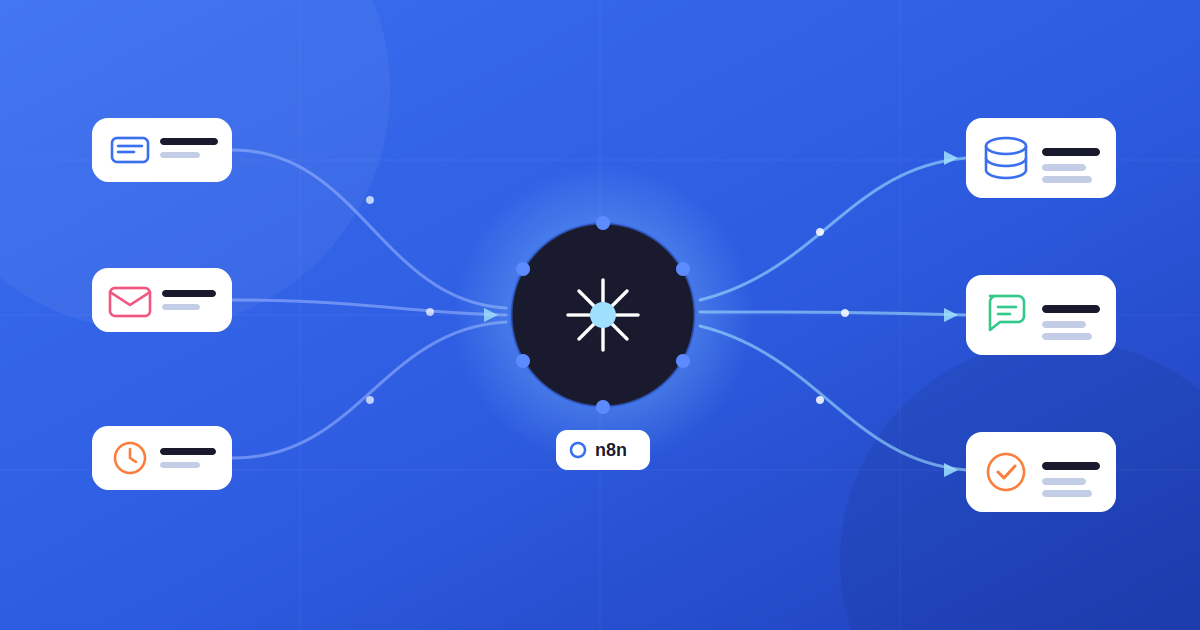
That's where n8n changes the game. As an open-source workflow automation platform with 400+ integrations, native AI nodes, and execution-based pricing, n8n has become the default tool for businesses that want serious automation without Zapier's per-task tax or the rigidity of closed SaaS platforms. Every process below is built the same way, with a deterministic flow and the model doing one job inside it, which is usually the right shape rather than a full agent.
This guide breaks down the 5 business processes you can automate with n8n that consistently deliver the highest return, with workflow blueprints, time savings, and what actually breaks in production. By the end, you'll know which one to build first.
What Is n8n and Why It's Different
n8n is an open-source workflow automation tool that lets you connect apps, APIs, databases, and AI models in visual workflows. Think of it as the bridge between Zapier's ease-of-use and a custom-coded automation script, without locking you into either extreme.
Three things separate n8n from the rest of the workflow automation landscape:
• Execution-based pricing. A 20-node workflow costs the same per run as a 2-node workflow. On Zapier, every step multiplies your bill at scale; that gap compounds fast.
• Self-hosted option. You can run n8n on your own infrastructure (Docker, Kubernetes, or air-gapped networks), keeping sensitive data inside your perimeter, which is a use case impossible on closed cloud-only platforms.
• Native AI and LangChain support. You can plug GPT-4, Claude, Gemini, or self-hosted LLMs directly into any workflow, build retrieval-augmented generation (RAG) systems, and orchestrate multi-agent setups. n8n also supports the Model Context Protocol (MCP).
That combination with a visual workflow builder, code escape hatch, AI-native, and self-hostable is why n8n has become the workflow automation standard for technical teams in 2026, with over 187,000 GitHub stars and a 115,000-member community.
The 5 highest-ROI processes to automate with n8n
Ranked by return: highest-frequency, highest-stakes first
- 1 Lead capture → CRM sync → alertWebhook · enrich · AI score · Slack ping the rep Automate first ~5 hrs/wkSAVED
- 2 AI support ticket triageClassify, route & auto-reply with LLM + RAG High volume ~9 hrs/wkSAVED
- 3 Invoice processing + approvalsOCR + AI extract, validate totals, route to approve High value ~8 hrs/wkSAVED
- 4 Client onboarding sequenceFan-out: folder, email, Slack, tasks, calendar Zero missed steps ~6 hrs/wkSAVED
- 5 Weekly KPI reportingPull metrics, merge, AI summary, deliver to Slack Founder favorite ~3 hrs/wkSAVED
See What is n8n and How to Use It? Complete 2026 Guide.
How to Pick the Right Process to Automate First
Before you open n8n's canvas, ask three questions about any process: how often does it run, how long does it take each time, and what does an error cost? Multiply those together, and you get a rough automation priority score.
Once you have a shortlist, compare each process in our workflow automation ROI calculator using the same baseline hours, loaded labor cost, automation coverage, setup cost, and monthly operating cost.
The most common mistake teams make is automating what's annoying instead of what's expensive. A monthly report that takes an hour is annoying. A lead intake process that runs 20 times a week and costs you a deal every time someone forgets to follow up is expensive. Always automate the second one first.
Process 1: Lead Capture → CRM Sync → Instant Sales Notification
Best for: SaaS teams, B2B agencies, service businesses, and any team where speed-to-lead determines win rates.
The Problem
A lead fills out your form. It sits in a submissions queue for two to four hours until someone checks it. By then, your competitor has already replied. Speed-to-lead is the single strongest predictor of conversion, and most teams still handle it manually.
The n8n Workflow
• Trigger: Webhook fires the instant a Typeform, HubSpot, or website form is submitted.
• Enrich: An HTTP Request node calls Clearbit or Apollo for company data, followed by an OpenAI or Claude node that scores intent.
• Route: An IF node filters by company size, budget, or score. Qualified leads get pushed into HubSpot, Pipedrive, or Salesforce.
• Notify: A Slack node alerts the right rep with full context: name, company, what they're looking for, and a one-click “claim lead” button.
• Cadence: A Wait + Email node sequence kicks off automatic follow-up if there's no human reply within 30 minutes.
What Changes After Deployment
Response time drops from hours to under 60 seconds. Teams typically see a 30–50% lift in lead-to-meeting rates because the first reply wins. CRM data stops getting messy because no human is copy-pasting fields. We've since written this process up in full, with the costs, the decision boundary and a validated n8n template you can paste.
This same multi-database enrichment pattern powers our My Contractor Report case study: five government databases are queried in parallel, and results are enriched and scored in under 30 seconds: same architectural pattern, different domain.
Add a duplicate-check step before the CRM insert. Without it, you'll have three versions of the same contact within a week.
Wire n8n's Error Trigger node to a dedicated Slack channel so silent failures don't quietly cost you deals.
Workflow blueprint: lead capture → CRM sync → instant alert
How the nodes connect inside n8n
Typeform / HubSpot
AI intent score
budget & score
‘Claim lead’
reply in 30 min
After deployment
Response time: hours → under 60 seconds. 30–50% lift in lead-to-meeting rate.
!Production tips
Add a duplicate-check before the CRM insert. Wire the Error Trigger node to a Slack channel.
Process 2: AI-Powered Customer Support Ticket Triage
Best for: SaaS companies, e-commerce brands, and any business handling 30+ support tickets a day. For an online store, the full ecommerce support pipeline extends this triage into order lookups, gated refunds and multilingual replies, and the Shopify build of it is a template you can paste.
The Problem
Your support team reads every incoming ticket just to figure out where it belongs: billing, technical, feature request, or urgent escalation. At 50+ tickets a day, that's a full person spending their time sorting instead of solving.
The n8n Workflow
• Trigger: Email trigger (IMAP) or webhook from Intercom, Zendesk, or Freshdesk captures every new ticket.
• Classify: An OpenAI or Claude node uses a prompt like “Read the customer message. Return JSON: {category, urgency, sentiment, confidence, summary}.” If confidence < 0.7, set category to manual_review.
• Route: An IF/Switch node sends the ticket to the right Jira, Linear, or HubSpot queue.
• Auto-respond: For low-complexity FAQs, a second LLM call generates a reply pulled from a knowledge base (RAG pattern).
• Escalate: SLAs tracked via Wait nodes; overdue tickets trigger Slack alerts.
What Changes After Deployment
70%+ of tickets get auto-routed correctly. Average first-response time drops from 4 hours to under 20 minutes. The support team stops doing inbox triage and starts solving real problems.
This is exactly the architecture we shipped for CollageDepot: 5,000+ multilingual emails per month, 65% auto-resolved, under 60-second average response time, and four languages. Read the full CollageDepot case study for the full pipeline breakdown.
Never ship an AI classifier without a confidence threshold. Low-confidence tickets should always land in a human review queue.
Log every classification decision. You'll need that data to tune prompts over time and to prove ROI to leadership.
Process 3: Invoice Processing With OCR and Approval Routing
Best for: Finance teams, B2B service businesses, agencies, and freelancers handling 20+ invoices a month.
The Problem
Finance teams spend 8 to 12 hours per week on manual invoice processing with matching POs, chasing approvals over email, and keying data into the accounting system. Errors like duplicate payments or missed early-payment discounts cost real money. Industry studies put the average cost of processing a single invoice manually between $12 and $40, depending on complexity.
The n8n Workflow
• Trigger: Email trigger fires when an invoice arrives as a PDF attachment.
• Extract: An Extract from File node handles OCR/PDF parsing. An OpenAI or Claude node pulls vendor name, amount, due date, and line items from the parsed text.
• Validate: A Code node compares the extracted total against the sum of line items. Mismatches flag for human review.
• Log: The data lands in Google Sheets, Airtable, or a Postgres database.
• Route: An IF node checks the amount; invoices above $5K go to manager approval via Slack with approve/reject buttons; below $5K auto-approves and pushes to Xero or QuickBooks.
What Changes After Deployment
Invoice processing drops from 10 hours per week to under 2. Risk of duplicate payments goes near zero. Approval bottlenecks disappear because routing happens automatically instead of sitting in someone's inbox. We've since built this one out in full, with the duplicate, bank-detail and purchase order checks written in, as an n8n invoice approval workflow you can paste.
The AI document extraction and validation pattern here is the same one powering our Amazon Appeal Wizard case study, RAG over real templates, AI extraction, structured output, and human review on edge cases. 2,000+ documents generated, 87% success rate.
OCR output is never perfect. Always add a validation step that compares extracted totals against line-item sums.
Accounting API nodes (Xero, QuickBooks) time out more often than you'd expect, so always enable retry logic on those connections.
Process 4: Automated Client Onboarding Sequence
Best for: Agencies, consultancies, dev shops, and service businesses where every new client requires identical setup steps.
The Problem
A new client signs a contract. Someone spends half a day creating project folders, sending a welcome email, setting up a Slack channel, adding tasks to Asana, and scheduling a kickoff call. Miss a step, and the client's first impression is “these people are disorganized.”
The n8n Workflow
• Trigger: CRM trigger fires when deal status flips to “Won” in HubSpot or Pipedrive.
• Fan-out (parallel branches): Google Drive node creates a project folder from a template. Gmail node sends a personalized welcome email. Slack node creates a #client-name channel and invites the team. Asana or Jira node spins up a project with pre-set tasks. Google Calendar node schedules the kickoff call.
• Follow-up: A Wait node delays 24 hours, then triggers a check-in email: “Did everything arrive okay?”
What Changes After Deployment
Onboarding drops from 3–4 hours of manual coordination to under 5 minutes. Zero missed steps. Clients perceive your team as faster, more organized, and more professional from day one.
Process 5: Automated Weekly KPI Reporting With AI Summary
Best for: Founders, leadership teams, and ops managers tired of building the same Monday-morning report.
The Problem
Every Monday, someone pulls numbers from Google Analytics, Stripe, HubSpot, and the project management tool. Pastes them into a doc. Write a summary. Email it to leadership. It takes 2–3 hours, and most of the team only reads the headline anyway.
The n8n Workflow
• Trigger: Schedule trigger fires Monday at 8 AM.
• Pull: HTTP Request nodes pull data from Google Analytics, Stripe, HubSpot, Linear, and any other source.
• Merge: A Merge node combines all the data into a single payload.
• Summarize: An OpenAI or Claude node generates a 5-sentence executive summary with a strict prompt: “Highlight the biggest positive change, the biggest risk, and one recommended action. No fluff.”
• Deliver: The result hits Slack or Gmail, formatted and ready to read on mobile.
What Changes After Deployment
Reporting goes from 2–3 hours of manual work to zero human effort. Stakeholders actually read the AI summary because it's concise and action-oriented. Adding a new metric takes minutes, not a meeting.
Hours per week: before vs after n8n
Manual time vs automated, illustrative, based on the figures in this guide
Learn more about n8n vs Make vs Zapier: which automation tool should you use?
How We Build These at Amplence
These five patterns aren't theoretical for us; they're the building blocks of every production system we ship at Amplence. We're an AI automation agency that builds workflow systems, custom AI web apps, and business process automation for teams that need results in weeks, not quarters. Six years in production, 500+ projects delivered, and an 87% success rate across our published case studies.
The patterns above show up in our work every day. The same multi-database enrichment that powers Process 1 is what we built for My Contractor Report, five government databases queried in parallel, AI-scored, delivered as a PDF in under 30 seconds. The AI triage architecture in Process 2 is exactly what we shipped for CollageDepot, now handling 5,000+ multilingual support emails per month with 65% auto-resolution. The AI document extraction in Process 3 mirrors what we built for Amazon Appeal Wizard, 2,000+ legally credible appeals generated at an 87% reinstatement rate.
If one of these processes is eating your team's week and you'd rather have it shipped properly than built twice, that's the work we do. The next section will help you decide whether to build it yourself or bring us in.
Build It Yourself or Hire a Team?
If your workflow has 3–5 nodes, connects apps you already use, and doesn't touch payment systems or sensitive customer data, build it yourself. n8n's visual editor handles this well, the documentation is solid, and you'll learn the platform faster by shipping than by reading.
But once your business automation involves multi-branch logic, AI nodes, error recovery, and integrations with legacy APIs, and especially when a single workflow touches your CRM, billing system, and customer emails simultaneously, the cost of debugging a broken production workflow at 2 AM outweighs the cost of building it right from the start. That's the moment to bring in a specialist.
Either way, the rule is the same: start with one high-impact process, get it stable, then expand. Most teams that try to automate five workflows at once end up with five half-working ones. The teams that win pick the most expensive process, automate it well, and reinvest the saved hours into the next one.
Frequently Asked Questions
1: What are the top 5 business processes you can automate with n8n?
The five highest-ROI business processes you can automate with n8n are (1) lead capture and CRM sync, (2) AI-powered customer support ticket triage, (3) invoice processing and approval routing, (4) client onboarding workflows, and (5) automated KPI reporting. Together, these typically save a small or mid-sized team 20 to 40 hours per week.
2: Is n8n better than Zapier for business automation?
n8n is better than Zapier for complex, high-volume, or AI-powered automations because it charges per workflow execution rather than per task; a 20-step n8n workflow costs the same as a 2-step one, while Zapier multiplies the bill at every step. n8n is also self-hostable, open-source, and supports custom code. Zapier remains faster for simple linear automations and requires zero technical background.
3: Do I need a developer to automate business processes with n8n?
Not for basic workflows. n8n's visual drag-and-drop editor lets non-developers build automations like form-to-CRM sync, Slack notifications, or Google Sheets updates without writing code. Production-grade workflows with error handling, AI nodes, custom API integrations, or multi-branch logic benefit from developer involvement. Most mid-sized teams use a hybrid model, where a developer sets up the architecture, and operations staff manage day-to-day adjustments.
4: How much time and money can n8n automation actually save?
Real-world results show n8n automation saves 15–40 hours per week once 3–5 core workflows are stable. For small businesses, the ROI typically becomes clear within 60–90 days, with reductions in support response time, invoice processing, and lead follow-up being the largest contributors.
5: Can n8n handle AI workflows and LLM integrations?
Yes. n8n has native AI nodes built on LangChain that integrate with OpenAI, Anthropic Claude, Google Gemini, and self-hosted models. You can build retrieval-augmented generation (RAG) systems, multi-agent setups, and AI-powered classification pipelines directly inside workflows. n8n also supports the Model Context Protocol (MCP), making it a strong choice for businesses embedding AI into existing operations without rebuilding their stack.
Final Thoughts: Where to Start
The 5 business processes you can automate with n8n above aren't theoretical; they're the patterns that consistently move the needle for SaaS companies, agencies, finance teams, and e-commerce brands. The teams that get the most out of n8n share three habits: they pick the most expensive process first, they get one workflow stable before building the next, and they treat automation as a continuous practice, not a one-time project. That is the model behind how we build n8n workflows, with the instance and the workflows left in your hands at the end.
If you're starting from zero, automate lead capture first. It's the highest-frequency, highest-stakes process in most businesses, and it usually pays for itself within the first month. Once that's running cleanly, move to support triage or invoicing, depending on which one is bleeding more hours.
Free Strategy Call
Ready to put this into practice?
Book a 20-minute call and we will map the fastest path for your team, no pitch required.
Want One of These Built and Running in a Week?
At Amplence, we've shipped each of these five patterns in production. CollageDepot's customer service pipeline processes 5,000+ emails/month with 65% auto-resolution. Amazon Appeal Wizard generates 2,000+ AI-drafted documents at 87% success. My Contractor Report runs multi-database AI risk scoring in under 30 seconds.
If one of the five processes above is eating your team's week, book a free 20-minute discovery call. We'll tell you honestly whether to build it in-house or hand it to us and either way, you'll walk away with a clearer architecture than you started with.